
ℹ️ Informacja: Treść tego artykułu oraz zawarte w nim ilustracje zostały stworzone lub przetworzone przy pomocy sztucznej inteligencji (AI).
DPI w druku oznacza gęstość punktów na cal — nie ostrość obrazu na ekranie — i decyduje o detalach oraz przejściach tonalnych w wydruku. Najczęściej potrzebne jest 300 DPI, bo daje wyraźne szczegóły w wizytówkach, ulotkach i katalogach przy rozsądnym rozmiarze pliku.
Artykuł wyjaśnia różnicę DPI vs PPI (druk vs piksele obrazu) i podaje progi: 72 DPI (web, podgląd), 150 DPI (plakaty z większej odległości), 300 DPI (standard zdjęć, ulotek, wizytówek, katalogów), 600 DPI (drobny tekst, linie, specjalistyczne wydruki), wraz z przykładami dla plakatów i banerów.
Sekcja praktyczna opisuje, jak sprawdzić DPI pliku w popularnych programach i systemach oraz kiedy można je podnieść bez widocznej straty jakości, uwzględniając realną liczbę pikseli i docelowy rozmiar wydruku. Na końcu czeka krótka checklista wyboru DPI do druku oraz porównanie scenariuszy 72/150/300/600 DPI dla szybkiej decyzji.
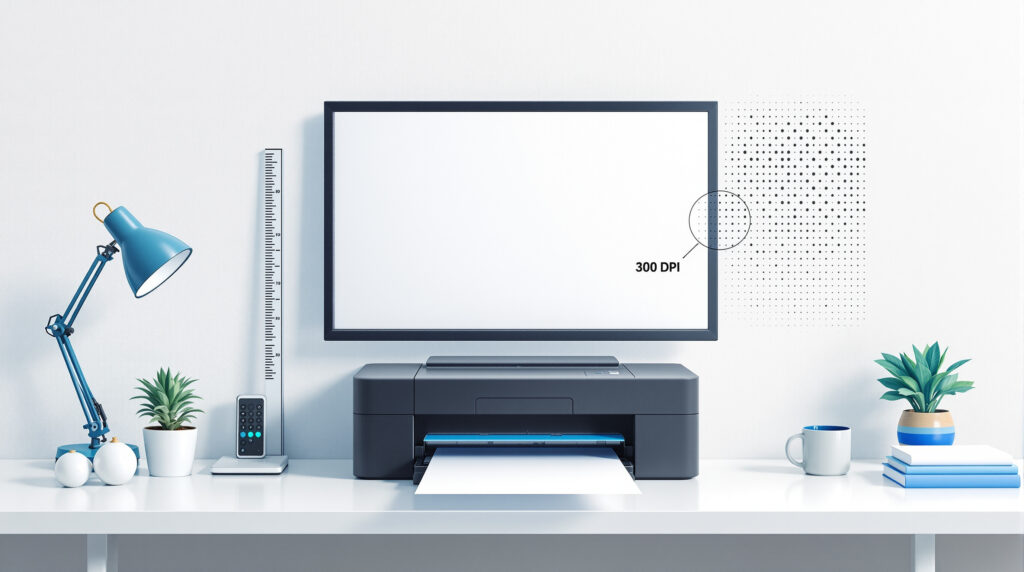
How DPI works - the number of dots per inch and its effect on image detail
Gęstość DPI w wydruku decyduje o ostrości konturów i gładkości przejść tonalnych — 300 DPI to powszechny standard dla materiałów oglądanych z bliska. PPI mówi o liczbie pikseli obrazu i określa, ile informacji niesie plik przed drukiem.
Cztery progi ułatwiają dobór jakości: 72 DPI dla podglądu, webu i bardzo dużych banerów z dystansu; 150 DPI dla plakatów A1–A0 oglądanych z kilku metrów; 300 DPI dla zdjęć, ulotek, wizytówek i katalogów; 600 DPI dla cienkich linii, drobnego tekstu i ilustracji technicznych.
DPI sprawdzisz we właściwościach pliku — Windows: Szczegóły; macOS: Informacje — albo w oknie rozmiaru obrazu w edytorze. Samo podniesienie DPI bez dodania pikseli nic nie zmienia. Bezpieczne przeskalowanie wymaga liczby pikseli odpowiadającej docelowemu formatowi przy 300 DPI.
DPI versus PPI, SPI, DPC - differences between image density units
DPI (dots per inch) opisuje liczbę punktów barwnych nanoszonych przez drukarkę na 1 cal — to parametr urządzenia, nie pliku — i wpływa na ostrość konturów oraz gładkość przejść tonalnych. PPI (pixels per inch) określa gęstość pikseli pliku lub ekranu i decyduje, ile informacji ma obraz przed drukiem.
Skąd biorą się różnice między jednostkami? SPI (samples per inch) dotyczy skanowania, a DPC (dots per centimeter) to metryczny odpowiednik DPI — przy czym 1 cal to 2,54 cm. Podniesienie samego DPI bez zwiększenia liczby pikseli nie poprawi wydruku. Gęstość trzeba wiązać z rozmiarem i odległością oglądania.
Progi praktyczne porządkują dobór: około 72 DPI dla podglądu i banerów z daleka, około 150 DPI dla plakatów A1–A0 z kilku metrów, 300 DPI dla zdjęć, ulotek, wizytówek i katalogów, a 600 DPI dla drobnego tekstu, cienkich linii i ilustracji technicznych.
DPI resolution and print quality - how dot density affects the end result
Gęstość DPI bezpośrednio kształtuje ostrość konturów, czytelność drobnego tekstu i gładkość gradientów — około 300 DPI daje czyste krawędzie i naturalne przejścia tonalne bez „schodków”. Czy wyższa wartość zawsze oznacza lepszy efekt? Niekoniecznie, bo bez odpowiedniej liczby pikseli w pliku wynik się nie zmieni.
Dobór parametrów do zastosowania sprawdza się w praktyce:
- około 72 DPI – podgląd/web oraz bardzo duże banery oglądane z daleka,
- około 150 DPI – plakaty A1–A0 z dystansu kilku metrów,
- 300 DPI – zdjęcia, ulotki, wizytówki, katalogi oglądane z bliska,
- 600 DPI – cienkie linie, drobny tekst, ilustracje techniczne.
DPI łączy się z PPI pliku — sama zmiana liczby DPI bez zwiększenia pikseli nie poprawi jakości. Obraz 3000×2000 px przy 300 DPI da wydruk około 10×6,7 cala (~25,4×17 cm). Większy format wymaga proporcjonalnie więcej pikseli lub akceptacji niższej gęstości punktów.
DPI in practice - application in printers, plotters and highlighters
Dobór DPI do urządzenia i formatu wpływa na czas oraz koszt produkcji — około 300 DPI zwykle wystarcza do materiałów oglądanych z bliska, a wyższe wartości pomagają przy cienkich liniach i drobnym tekście kosztem większych plików i dłuższego druku.
Zakresy urządzeń różnią się wyraźnie. Drukarki biurowe osiągają zwykle 600–1200 dpi (tryb tekst/grafika), drukarki foto inkjet — około 1440–2880 dpi dla gładkich gradientów, a naświetlarki CTP — około 1200–4800 dpi dla rastrów i precyzyjnej siatki. Plotery wielkoformatowe łączy się z większą odległością oglądania, dlatego około 100–150 dpi bywa wystarczające dla plakatów A0 czy banerów.
- 72–100 dpi – bardzo duży format z daleka (banery, siatki, billboardy).
- 150 dpi – plakaty A1–A0 oglądane z kilku metrów.
- 300 dpi – zdjęcia, ulotki, wizytówki, katalogi do czytania z bliska.
- 600 dpi – rysunek techniczny, mikrotypografia, kody kreskowe.
DPI trzeba wiązać z PPI obrazu wejściowego. Plik 300 PPI przy docelowym wymiarze zapewni realną ostrość, podczas gdy samo podniesienie DPI urządzenia bez odpowiedniej liczby pikseli nie poprawi szczegółów wydruku.
The impact of DPI on graphic design, photography and printing
DPI w projektowaniu, fotografii i poligrafii decyduje o ostrości krawędzi, czytelności mikrotypografii i gładkości gradientów — około 300 DPI to standard dla materiałów oglądanych z bliska. PPI określa, czy plik ma dość pikseli, by ten standard osiągnąć na papierze. Jak to wygląda w konkretnych zastosowaniach?
Dobór do nośnika wygląda tak: wizytówki, ulotki i katalogi wymagają 300 DPI; plakaty A1–A0 oglądane z kilku metrów akceptują około 150 DPI; banery wielkoformatowe z dużej odległości często wystarczają przy 72–100 DPI; ilustracje techniczne, cienkie linie i kody kreskowe korzystają z około 600 DPI.
Rozmiar wydruku trzeba powiązać z pikselami. Obraz 3000×2000 px przy 300 DPI odpowiada mniej więcej 10×6,7 cala (~25,4×17 cm). To szybki sposób oceny przydatności pliku do druku danego formatu.
How to check and set the DPI in image files and photos
DPI sprawdzisz w systemie i programach: w Windows otwórz Właściwości pliku → Szczegóły (Pozioma/Pionowa rozdzielczość); w macOS wybierz Plik → Informacje → Dodatkowe; w edytorach takich jak Photoshop, GIMP czy Photopea zajrzyj do okna Rozmiar obrazu/Rozdzielczość — widać tam DPI, wymiary w pikselach i centymetrach.
Ustawienie DPI odbywa się w tym samym oknie. Wyłącz opcję Resample/Próbkowanie, by zmienić tylko DPI bez dodawania pikseli; włącz ją, gdy chcesz przeliczyć piksele do nowego formatu. Obraz 3000×2000 px przy 300 DPI daje około 10×6,7 cala (~25,4×17 cm) — większy wydruk wymaga więcej pikseli lub akceptacji niższego DPI.
- Wizytówki, ulotki, katalogi – 300 DPI.
- Plakaty A1–A0 – około 150 DPI.
- Banery/billboardy – około 72–100 DPI.
- Ilustracje techniczne – około 600 DPI.
How to choose the optimum DPI value for printing photos, documents and graphics
DPI dobiera się razem z rozmiarem wydruku i PPI pliku — same „dpi drukarki” bez odpowiedniej liczby pikseli nie poprawią detalu. Około 300 DPI zapewnia czytelność z bliska, a 600 DPI przydaje się przy mikrotypografii i cienkich liniach.
- 72–100 DPI – banery i billboardy oglądane z dużej odległości.
- 150 DPI – plakaty A1–A0 z kilku metrów.
- 300 DPI – zdjęcia, ulotki, wizytówki, katalogi czytane z bliska.
- 600 DPI – rysunki techniczne, kody kreskowe, drobny tekst.
Przeliczenie pikseli na centymetry upraszcza planowanie: obraz 3000×2000 px przy 300 DPI daje około 25,4×17 cm. Większy format wymaga proporcjonalnie więcej pikseli lub akceptacji niższego DPI — inaczej pojawi się pikselizacja.
The most common mistakes and myths about DPI - what to look out for
Mit „im więcej, tym lepiej” nie sprawdza się bez odpowiedniej liczby pikseli w pliku (PPI) — samo podniesienie DPI nie doda szczegółów, a jedynie zwiększy rozmiar pliku i czas druku. Skąd bierze się to nieporozumienie? Wielu użytkowników myli parametr urządzenia z jakością obrazu wejściowego.
W praktyce 300 DPI wystarcza do zdjęć, ulotek i wizytówek oglądanych z bliska; około 150 DPI sprawdza się przy plakatach A1–A0 z dystansu; 72–100 DPI bywa akceptowalne dla banerów i billboardów.
- DPI nie jest równe PPI: DPI dotyczy urządzenia/drukowania, PPI opisuje gęstość pikseli obrazu wejściowego.
- Zmiana wyłącznie metadanych DPI bez resamplingu lub bez większej liczby pikseli nie poprawi jakości.
- Dobór DPI trzeba dopasować do odległości oglądania i formatu, by uniknąć pikselizacji i niepotrzebnie ciężkich plików.
Przed eksportem przelicz format z pikseli do 300 DPI. Tylko przy dużych formatach świadomie schodź do około 150 lub 100 DPI — to zwiększa przewidywalność efektu i ostrość druku.
Kategorie
Struktura bloga obejmuje 300 DPI w kontekście druku z bliska i z daleka oraz cztery działy: Fotografia artystyczna, Historie, Sztuka uliczna w domu i Uncategorized — dzięki temu szybko trafisz do porad technicznych i przykładów.
W kategoriach znajdziesz praktyczne checklisty DPI/PPI, porównania 72/150/300/600 DPI oraz wskazówki do plakatów, wizytówek i banerów.
Search the blog
Konkretne frazy łączące temat i zastosowanie ułatwiają wyszukiwanie — na przykład „300 DPI wizytówka”, „150 DPI plakat A1″ lub „DPI vs PPI różnica” — i pozwalają szybciej trafić na praktyczne poradniki i checklisty.
Wyniki zawęzisz przez dodanie formatu i programu, na przykład „300 DPI katalog InDesign” albo „jak sprawdzić DPI w Windows/macOS”. Tak łatwiej trafić na instrukcje krok po kroku i przykłady dla druku zdjęć, ulotek i banerów.
- Przykłady zapytań: 72/150/300/600 DPI – do czego służy.
- DPI vs PPI – jak dobrać do rozmiaru wydruku.
- Jak podnieść DPI bez utraty jakości – resampling.
- Jak sprawdzić DPI zdjęcia – Windows, macOS, Photopea.
Różnica między DPI a PPI oraz innymi jednostkami (SPI, DPC)
Jednostki DPI, PPI, SPI i DPC obsługują różne etapy pracy: DPI dotyczy urządzeń drukujących, PPI opisuje gęstość pikseli w pliku lub na ekranie, SPI odnosi się do skanowania, a DPC — metryczny odpowiednik DPI — przelicza się według wzoru 1 cal = 2,54 cm; około 300 DPI ≈ 118 DPC.
Dobór jakości w skrócie: 72–100 DPI dla banerów z daleka, około 150 DPI dla plakatów A1–A0, 300 DPI dla zdjęć, ulotek i wizytówek, a 600 DPI dla mikrotypografii i cienkich linii.
- Podniesienie DPI bez zwiększenia liczby pikseli (PPI) nie doda detalu.
- Parametry sprawdzaj we właściwościach pliku lub w oknie rozmiaru obrazu i wiąż je z docelowym rozmiarem wydruku oraz odległością oglądania.
Praktyczne progi rozdzielczości dla różnych zastosowań (72/150/300/600 DPI)
Cztery progi jakości porządkują wybór: 72–100 DPI dla ekspozycji z bardzo daleka, około 150 DPI dla dużych plakatów oglądanych z kilku metrów, 300 DPI jako standard druku z bliska — i 600 DPI dla mikrodetalu i precyzyjnych linii.
- 72–100 DPI – banery, siatki, billboardy widziane z kilkunastu metrów.
- 150 DPI – plakaty A1–A0 i citylighty oglądane z około 2–5 metrów.
- 300 DPI – zdjęcia, ulotki, wizytówki, katalogi, okładki oglądane z bliska.
 Polish
  English